Turn an image prompt into a creative brief you can test
Quick answer
Define the image’s purpose, then revise composition, lighting and materials in separate rounds. Judge each instruction by the visible difference it makes.
tokensmore Editorial ·
Start with the purpose, rather than a pile of adjectives
Imagine making a banner for a café’s new drink. State that the cup must remain fully visible, sit on the left, and leave room for layout on the right. You can check those requirements in a preview; “premium,” “stunning” and “cinematic” give you less guidance about what to change next.
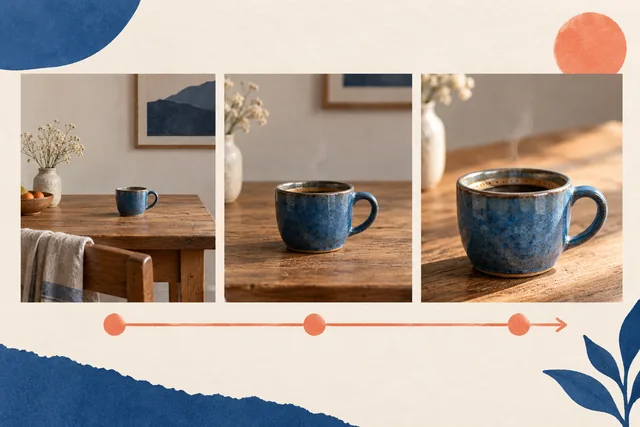
Separate the description into subject, composition, lighting and materials. For the first round, a blue ceramic cup, a light wooden table and side-window light are enough. Leave elaborate decorations out so that the rim, handle and empty space do not all change at once.
Test one kind of change per round
If the cup is too small in the first image, change only the framing distance or its share of the frame. Keep lighting you already like, instead of changing the background, color and angle together. Compare the cup’s position and size to see whether the revision solved the problem.
Next, address material: replace “beautiful cup” with “a matte ceramic surface that retains fine grain.” This is not a guarantee that a model will follow instructions. It gives each round a clear inspection target.
- Save the original description and one baseline image.
- Replace just one kind of requirement and record the changed sentence.
- Compare both versions and decide whether to keep or undo the change.
Keep descriptions and results in the same project
In tokensmore.ai, you can start from an image-tool entry, then use the canvas to organize candidate images, written requirements and feedback. They suit different stages: the tool entry helps you submit inputs; the canvas helps you compare versions side by side and record decisions.
Before generating, check the page’s current model, parameters and availability. If a tool is unavailable, save the brief first. A demonstration cover is not a result produced by that model and does not establish its cost or capabilities.
Inspect the details that are easy to miss
Reduce the image to its intended display size and check whether the subject is clear and the empty space is usable. Add and proofread precise text during layout rather than relying on a generated image to render long passages.
Keep the final description, selected version and remaining manual work. Your next image in the series can then begin with confirmed constraints instead of another guess about which words helped.
Continue your workflow
Check the tool page for current availability, input limits and costs.
Editorial and review method